
How to Remove the CapCut Logo from Video?
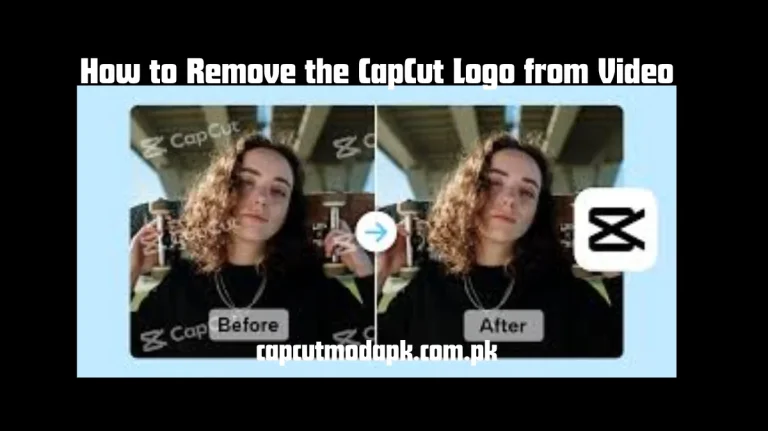
CapCut APK is one of the most popular editing applications, especially for mobile creators. It allows users to add effects and templates to the video to enhance their editing experience. The addition of a logo at the end of the video is an irritating factor for the editors. It mostly occurred in the free versions. If users get premium subscriptions, then they can also remove the logo from the video in the CapCut application. Removing capcut logo from a video makes it more dynamic and impressive.
So, in this article, we will explore some methods to remove capcut logo from the video.
Methods to remove the CapCut logo from video.
Method 1
By removing capcut outro, Users can easily remove the CapCut logo by applying this method. It is a fast and quick process of logo removal. It is very easy to perform and get high-quality results.
- 1: First of all, open your project where you want to remove the logo from the video.
- 2: Navigate to the end of the timeline by scrolling.
- 3: Now, choose the CapCut ending clips.
- 4: Before exporting, you need to tap on the delete option.
Method 2
Never Apply on Watermark Templates: It is essential to check that we are not applying a watermarked template while editing our videos in CapCut. Remember, if it is marked as caput pro, then it includes on watermark. Users should get a subscription to remove the watermark and avoid editing on the free version.
Method 3
Download CapCut Pro: One of the simplest methods of logo removal in CapCut. Users must download the CapCut Pro. After that they need to get subscriptions on a montly or yearly basis. So, apply or use the pro templates to export the video without a watermark.
Method 4
Crop the Logo: It is a free method of logo removal. Open the video and add a sticker or emojis to hide the capcut logo. Before exporting, ensure you have matched your brand or themes.
Method 5
Try to use watermark removal tools: Users can use most of the free and paid logo removal tools in the CapCut platform. These tools are useful for hiding, deleting, removing, or cropping the watermark. Hitpaw water remover and media.io are the most used tools for CapCut users.
Effective Tips to remove a logo from a video
- 1: Always select an editable template.
- 2: Try to upgrade to a pro version.
- 3: Re-editing your project.
- 4: Delete the logo clips.
- 5: Apply clone tools.
- 6: Cover the logo with a sticker or image.
- 7: Adjust AI-powered logo removal tools.
- 8: Move to the setting and click on the “Default Edging” to turn off.
Why do I need to remove the CapCut Logo from the Video?
There are several advantages to removing the logo from an edited video. These are given here;
- 1: Give a professional look to a video.
- 2: Removing the logo ensures users are exporting clean and high-quality content.
- 3: To enhance viewer attention on the project.
- 4: Exporting a distraction-free video.
- 5: Easily promoting own project or business.
- 6: Clients may be discouraged by the monetized content.
How to remove the logo by using third-party apps?
You must be aware that some third-party apps, like InShot and VN Video Editor, are useful for removing a capcut logo. Users can download and use them for cropping or removing a logo.
Step 1: Initially, you need to download the VN Video Editor or Inshot application from a trusted source.
Step 2: Upload your video into the Inshot or VN Video Editor Application.
Step 3: At least, after uploading a complete video, users should crop the video from the bottom or where the logo is, or blur the emblem from the video part.
Conclusion
When users export their editing content, the CapCut logo is added at the end of the video. It is an irritating feature for some users; they want to remove it. After removing the logo, they give a professional look to the video or picture. The CapCut logo can cause a distraction and reduce focus on the main project.
Most of the free versions allow you to add the CapCut logo. There are many methods to delete a logo that we have already discussed comprehensively. You can move to the CapCut Pro version and get a premium subscription to remove the logo from exporting content. In this way, users can easily remove them to export high-quality edited content.
Alos Read: How to Blur Face in CapCut Videos? Complete Analysis 2025
Frequently Asked Questions
1: How can I delete the CapCut logo completely?
You need to upgrade to the pro version of the CapCut application because it offers a facility to export watermark-free content.
2: Can CapCut remove all watermarks automatically?
Yes, CapCut removes all logos from the exported content after getting premium subscriptions.
3: Can we remove the watermark on all devices?
Yes, you can remove the watermark on all CapCut using devices like Android, iOS, Tablets, and others. Just move to the pro version to complete this task.